
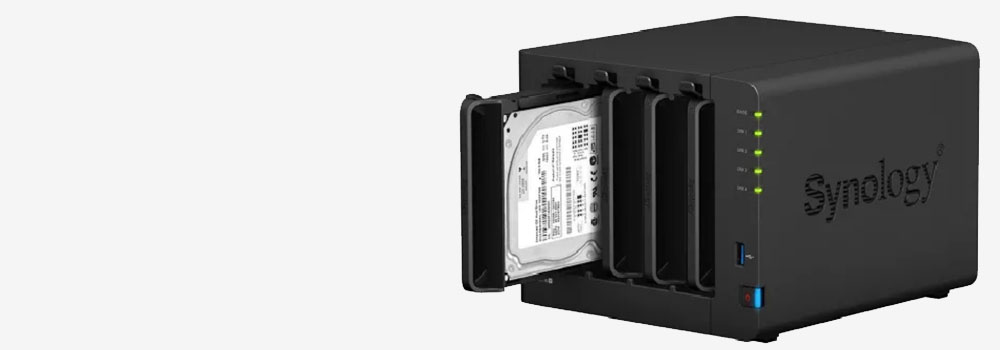

Birmingham Data Recovery: Your NAS Data Recovery Specialist with 25 Years of Experience
Birmingham Data Recovery is the leading provider of specialised NAS data recovery services, trusted by individuals and businesses for over 25 years. We are experts in recovering lost or inaccessible data from all types of NAS systems and brands, offering comprehensive solutions tailored to your needs.
Why Choose Birmingham Data Recovery?
- Unparalleled Expertise: Decades of experience handling all types of NAS failures.
- Comprehensive Service: Support for all NAS brands, file systems, and fault types.
- Free Diagnostics: Detailed evaluation of your NAS system to determine the fault.
NAS File Systems Supported
Top 10 File Systems for NAS Devices
Network-Attached Storage (NAS) systems require file systems optimised for storage performance, reliability, and multi-user environments. The choice of a file system depends on the NAS hardware, operating system, and intended use, such as file sharing, backups, or multimedia streaming.
1. EXT4 (Fourth Extended File System)
- Primary Use: Linux-based NAS systems.
- Advantages:
- Widely supported and stable.
- Journaling for improved data integrity.
- Supports large volumes and files.
- Disadvantages:
- Limited advanced features compared to newer file systems like Btrfs.
2. Btrfs (B-Tree File System)
- Primary Use: Modern NAS systems like Synology and QNAP.
- Advantages:
- Built-in RAID management and snapshots.
- Data deduplication and compression.
- Error detection and self-healing.
- Disadvantages:
- Performance overhead for some operations.
- Still maturing compared to EXT4.
3. ZFS (Zettabyte File System)
- Primary Use: Enterprise-grade NAS systems (TrueNAS, FreeNAS).
- Advantages:
- Exceptional data integrity with checksumming.
- Advanced features like snapshots, deduplication, and RAID-Z.
- High scalability for large datasets.
- Disadvantages:
- Resource-intensive; requires significant RAM.
- Complex setup compared to simpler file systems.
4. NTFS (New Technology File System)
- Primary Use: Windows-based NAS systems.
- Advantages:
- Compatibility with Windows environments.
- Supports large file sizes and volumes.
- Disadvantages:
- Less efficient in Linux-based NAS setups.
- Limited support for advanced NAS-specific features.
5. XFS (Extended File System)
- Primary Use: High-performance workloads on Linux NAS systems.
- Advantages:
- Excellent for handling large files.
- High reliability and journaling support.
- Disadvantages:
- Lacks built-in RAID or snapshot capabilities.
6. APFS (Apple File System)
- Primary Use: macOS-compatible NAS devices.
- Advantages:
- Optimized for SSDs with fast performance.
- Encryption and snapshot support.
- Disadvantages:
- Limited compatibility outside the Apple ecosystem.
- Less mature for large-scale NAS deployments.
7. HFS+ (Hierarchical File System Plus)
- Primary Use: Older macOS-compatible NAS setups.
- Advantages:
- Stable and well-supported for older Apple devices.
- Disadvantages:
- Replaced by APFS in modern macOS systems.
8. ReFS (Resilient File System)
- Primary Use: Enterprise Windows NAS setups.
- Advantages:
- Built-in resilience against data corruption.
- Optimized for large-scale storage and virtualization.
- Disadvantages:
- Limited support in non-Windows environments.
9. FAT32 (File Allocation Table 32)
- Primary Use: Simple NAS devices or cross-platform storage.
- Advantages:
- Universal compatibility across devices.
- Disadvantages:
- 4GB file size and 32GB partition size limits.
- No journaling or advanced features.
10. exFAT (Extended File Allocation Table)
- Primary Use: Cross-platform NAS setups.
- Advantages:
- Overcomes FAT32 limitations with support for larger files.
- Compatible with most operating systems.
- Disadvantages:
- Lacks journaling and advanced NAS-specific features.
NAS Brands Supported
We provide data recovery services for all major NAS brands sold in the UK, including:
Synology
Renowned for user-friendly interfaces and robust software ecosystems. Best-selling series include DiskStation DS220+, DS920+, and DS218play.
QNAP
Offers versatile NAS solutions with advanced features. Popular series are TS-453D, TS-251D, and TS-230.
Western Digital (WD)
Known for reliable storage solutions. Top series include My Cloud EX2 Ultra, My Cloud Home, and My Cloud PR4100.
Asustor
Provides high-performance NAS devices suitable for various applications. Best-selling series are Nimbustor 2 (AS5202T), Nimbustor 4 (AS5304T), and Lockerstor 2 (AS6602T).
TerraMaster
Focuses on cost-effective NAS solutions. Popular series include F2-210, F4-210, and F5-221.
Netgear
Offers NAS devices with robust performance and security features. Top series are ReadyNAS RN424, ReadyNAS RN214, and ReadyNAS RN422.
Buffalo Technology
Known for reliable and easy-to-use NAS solutions. Best-selling series include LinkStation LS220D, LinkStation 520, and TeraStation 3410DN.
Drobo
Specializes in user-friendly storage solutions with data protection features. Popular models are Drobo 5N2 and Drobo 5D3.
Seagate
Offers NAS devices suitable for personal and small business use. Top series include Personal Cloud, IronWolf NAS, and BlackArmor NAS.
D-Link
Provides affordable NAS solutions for home users. Best-selling series are ShareCenter DNS-320L, DNS-327L, and DNS-340L.
Zyxel
Known for budget-friendly NAS devices with essential features. Popular series include NAS326, NAS540, and NAS542.
LenovoEMC (formerly Iomega)
Offers NAS solutions for small businesses. Top series are ix2, ix4, and px4-300d.
Thecus
Provides a range of NAS devices for different user needs. Best-selling series include N2310, N5550, and N7770.
LaCie
Focuses on high-end storage solutions with sleek designs. Popular series are 2big NAS, 5big NAS Pro, and CloudBox.
Promise Technology
Offers NAS devices aimed at creative professionals. Top series include Apollo Cloud 2 Duo and Vess series.
Western Digital My Book Live
Provides personal cloud storage solutions. Best-selling models are My Book Live and My Book Live Duo.
Synology RackStation
Designed for enterprise environments requiring rack-mounted NAS solutions. Popular series include RS819, RS1219+, and RS3617xs+.
QNAP TVS Series
High-performance NAS devices suitable for intensive applications. Top models are TVS-872XT, TVS-682, and TVS-1282.
Asustor AS Series
Offers a balance between performance and affordability. Best-selling models include AS1002T, AS3102T, and AS6404T.
TerraMaster D Series
Provides direct-attached storage solutions with NAS capabilities. Popular models are D2-310, D5-300, and D8 Thunderbolt 3.
Common NAS Faults We Handle
1. Hardware Failures
These failures involve physical components of the NAS device.
1.1. Hard Drive Failure
- Summary: One or more drives in the NAS fail, resulting in data inaccessibility.
- Cause: Mechanical failure, bad sectors, or age-related wear.
1.2. RAID Controller Failure
- Summary: The RAID controller malfunctions, causing the RAID array to degrade or fail.
- Cause: Firmware bugs, electrical issues, or hardware defects.
1.3. Power Supply Failure
- Summary: The NAS loses power due to a faulty PSU.
- Cause: Electrical surges or aging components.
1.4. Overheating
- Summary: Excessive heat damages internal components, reducing performance or causing shutdowns.
- Cause: Poor ventilation or malfunctioning fans.
1.5. Motherboard Failure
- Summary: The NAS motherboard becomes defective, disrupting all operations.
- Cause: Power surges, physical damage, or manufacturing defects.
1.6. Network Interface Failure
- Summary: The NAS cannot connect to the network due to a failed network port.
- Cause: Port damage or software configuration errors.
1.7. Damaged Connectors
- Summary: USB, Ethernet, or power connectors fail, interrupting operations.
- Cause: Physical stress or wear over time.
2. RAID-Specific Failures
RAID arrays in NAS devices are vulnerable to these issues.
2.1. RAID Degradation
- Summary: One or more drives in the array fail, reducing redundancy.
- Cause: Drive failure or improper RAID rebuilds.
2.2. Failed RAID Rebuild
- Summary: Data reconstruction fails after replacing a faulty drive.
- Cause: Incorrect drive replacement or multiple drive failures.
2.3. RAID Controller Configuration Errors
- Summary: Incorrect settings lead to RAID array mismanagement.
- Cause: User error or misconfigured firmware updates.
2.4. RAID Parity Corruption
- Summary: Parity data becomes corrupted, leading to data loss.
- Cause: Power interruptions or drive inconsistencies.
3. Software and Logical Failures
Logical errors can render NAS data inaccessible or unusable.
3.1. File System Corruption
- Summary: The NAS file system becomes unreadable, making data inaccessible.
- Cause: Improper shutdowns, malware, or software bugs.
3.2. Firmware Corruption
- Summary: A corrupted firmware update causes the NAS to malfunction.
- Cause: Failed updates or power loss during the update process.
3.3. Incompatible Software Updates
- Summary: New software updates conflict with existing configurations.
- Cause: Compatibility issues or incomplete installations.
3.4. Logical Volume Corruption
- Summary: The volume becomes corrupted, rendering all stored data inaccessible.
- Cause: File system errors or abrupt power loss.
3.5. Accidental Deletion
- Summary: Files or folders are accidentally removed by users.
- Cause: User error or misconfigured automation tasks.
3.6. Accidental Formatting
- Summary: The NAS volume is formatted, erasing all visible data.
- Cause: User error during setup or troubleshooting.
4. Network and Connectivity Issues
These failures disrupt access to the NAS over the network.
4.1. IP Address Conflicts
- Summary: Conflicting IP addresses prevent network access to the NAS.
- Cause: Misconfigured network settings or duplicate IP assignments.
4.2. DNS Configuration Issues
- Summary: DNS errors prevent devices from resolving the NAS hostname.
- Cause: Incorrect DNS settings.
4.3. Slow Network Speeds
- Summary: The NAS operates at reduced speeds, affecting file transfers.
- Cause: Network congestion or faulty cables.
4.4. Firewall Blocking Access
- Summary: The NAS is inaccessible due to firewall restrictions.
- Cause: Misconfigured firewall rules.
5. Environmental and External Failures
These failures occur due to external or environmental factors.
5.1. Power Surges
- Summary: Voltage spikes damage the NAS hardware.
- Cause: Electrical storms or unstable power supplies.
5.2. Physical Damage
- Summary: Physical impacts damage the NAS enclosure or components.
- Cause: Dropping or mishandling the device.
5.3. Liquid Damage
- Summary: Spilled liquids cause electrical shorts and corrosion.
- Cause: Accidental spills or environmental exposure.
5.4. Ransomware or Malware Attacks
- Summary: Malware encrypts or deletes files, rendering them inaccessible.
- Cause: Inadequate security measures or phishing attacks.
5.5. Unauthorised Access or Misuse
Cause: Weak passwords or misconfigured access controls.
Summary: Unintended changes by unauthorized users disrupt NAS operations.
Our Data Recovery Process
- Free Diagnostics
- We analyze your NAS device to identify the fault and assess the chances of data recovery.
- Customised Recovery Plan
- A tailored approach is developed based on your NAS configuration and fault type.
- Data Verification
- The integrity and accessibility of recovered files are verified before delivery.
- Data Delivery
- Files are securely returned on your preferred storage device.
Why NAS Systems Fail
NAS devices are complex systems with multiple drives and advanced file-sharing technologies. Common reasons for NAS failures include:
- Physical damage from drops or impacts.
- Electrical surges during power outages.
- Software conflicts from incompatible updates or firmware errors.
- Drive failures due to aging or manufacturing defects.
Contact Birmingham Data Recovery Today!
If your NAS device has failed, don’t panic. Our experts at Birmingham Data Recovery are here to help. With 25 years of experience, we provide fast, reliable, and professional solutions to recover your data.
Contact us today for a free diagnostic and experience trusted NAS recovery expertise!