
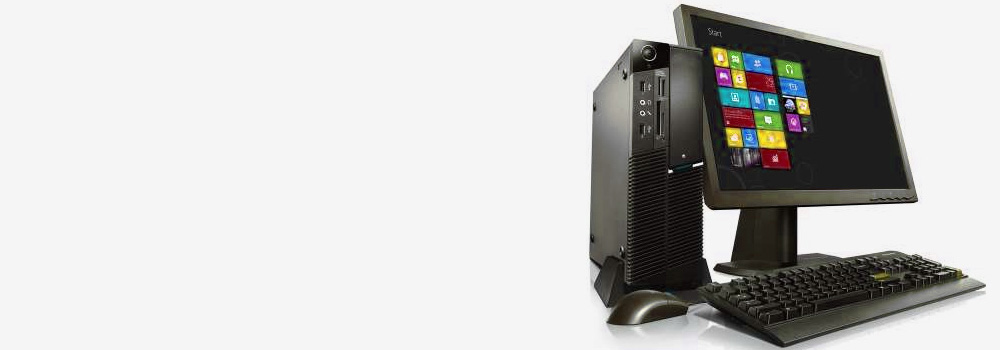






Birmingham Data Recovery: Desktop Computer Data Recovery Service with 25 Years of Experience
Birmingham Data Recovery is a trusted name for Desktop Computer data recovery services, providing reliable and professional solutions for over 25 years. Whether it’s a hardware malfunction or data corruption, we specialise in recovering critical information from all desktop computer brands and storage types.
Why Choose Birmingham Data Recovery?
- Extensive Expertise: Decades of experience handling all types of desktop computer data recovery cases.
- Comprehensive Services: We support all major desktop brands, file systems, and storage technologies.
- Free Diagnostic Evaluation: No-obligation analysis to identify the issue and determine recovery options.
Supported File Systems
We recover data from all commonly used file systems, including:
- NTFS (Windows)
- macOS File Systems (HFS+, APFS)
- FAT32 and exFAT
- EXT4 and Btrfs (Linux)
Desktop Computer Brands Supported
We provide data recovery services for all major desktop computer brands in the UK, including:
Dell
Dell’s XPS series is renowned for its high performance and sleek design, catering to both professionals and enthusiasts.
Apple
The iMac series is celebrated for its all-in-one design and powerful performance, making it a favorite among creative professionals.
HP (Hewlett-Packard)
HP’s Pavilion series offers a range of desktops suitable for everyday use, combining reliability with performance.
Lenovo
The IdeaCentre series from Lenovo provides versatile desktops designed for both home and office environments.
The IdeaCentre series from Lenovo provides versatile desktops designed for both home and office environments.
Acer
Acer’s Aspire series delivers affordable desktops with solid performance for general computing tasks.
Acer’s Aspire series delivers affordable desktops with solid performance for general computing tasks.
Asus
The Republic of Gamers (ROG) series by Asus is tailored for gaming enthusiasts, offering high-end components and advanced cooling solutions.
The Republic of Gamers (ROG) series by Asus is tailored for gaming enthusiasts, offering high-end components and advanced cooling solutions.
MSI (Micro-Star International)
MSI’s Trident series is known for its compact design and gaming capabilities, providing powerful performance in a small form factor.
MSI’s Trident series is known for its compact design and gaming capabilities, providing powerful performance in a small form factor.
Corsair
The Corsair One series offers high-performance desktops with a focus on gaming and content creation, featuring a compact and stylish design.
The Corsair One series offers high-performance desktops with a focus on gaming and content creation, featuring a compact and stylish design.
CyberPowerPC
The Gamer Supreme series is designed for gamers seeking customizable and high-performance desktops.
The Gamer Supreme series is designed for gamers seeking customizable and high-performance desktops.
Alienware
Alienware’s Aurora series is synonymous with premium gaming desktops, offering cutting-edge hardware and distinctive designs.
Alienware’s Aurora series is synonymous with premium gaming desktops, offering cutting-edge hardware and distinctive designs.
Common Desktop Computer Failures We Handle
1. Mechanical Failures (HDD)
1.1. Read/Write Head Crash
- Summary: The read/write head physically crashes into the platter, damaging the disk surface and causing data loss.
- Cause: Drops, shocks, or aging hardware.
1.2. Spindle Motor Failure
- Summary: The motor that spins the platters fails, making the drive inaccessible.
- Cause: Overuse, overheating, or manufacturing defects.
1.3. Stuck Platter
- Summary: The platters cannot spin due to mechanical obstruction.
- Cause: Dust contamination or physical damage.
1.4. Damaged Bearings
- Summary: Worn bearings result in noisy operation and reduced drive performance.
- Cause: Long-term use or excessive workload.
1.5. Vibrational Damage
- Summary: Constant vibrations lead to read/write errors and damage to internal components.
- Cause: Poor mounting or external vibrations.
2. Logical and Software Failures
2.1. File System Corruption
- Summary: The file system becomes unreadable, leading to inaccessible data.
- Cause: Improper shutdowns, malware, or software errors.
2.2. Partition Table Corruption
- Summary: Partitions are inaccessible or missing, preventing data retrieval.
- Cause: Malware attacks, OS errors, or accidental formatting.
2.3. Logical Bad Sectors
- Summary: Corrupted sectors prevent data from being read or written.
- Cause: Software conflicts or improper writes.
2.4. Accidental Formatting
- Summary: A partition or entire drive is erased due to incorrect formatting.
- Cause: User error or misconfigured system tools.
2.5. Firmware Corruption
- Summary: Corrupted firmware prevents the drive from functioning normally.
- Cause: Failed updates, malware, or abrupt power loss.
3. Electrical Failures
3.1. PCB (Printed Circuit Board) Failure
- Summary: The drive’s circuit board fails, halting all operations.
- Cause: Power surges, liquid exposure, or physical damage.
3.2. Power Surge Damage
- Summary: Voltage spikes damage the drive’s internal electronics.
- Cause: Electrical storms, faulty power supplies, or unstable outlets.
3.3. Short Circuits
- Summary: Electrical shorts render the drive inoperable.
- Cause: Faulty wiring or liquid exposure.
3.4. Connector Damage
- Summary: Damaged power or data connectors disrupt the drive’s operation.
- Cause: Frequent plugging/unplugging or physical strain.
3.5. Blown Fuse
- Summary: A blown fuse in the drive cuts off power, preventing functionality.
- Cause: Overvoltage or overheating.
4. SSD-Specific Failures
4.1. SSD Controller Failure
- Summary: The controller chip malfunctions, making the SSD inaccessible.
- Cause: Electrical damage or firmware bugs.
4.2. NAND Flash Wear
- Summary: Flash memory cells degrade over time, reducing performance and storage capacity.
- Cause: Frequent write cycles and aging.
4.3. Over-Provisioning Failure
- Summary: Reserved space for SSD wear levelling fails, affecting performance.
- Cause: Firmware errors or extensive use.
4.4. TRIM Command Issues
- Summary: Inefficient trimming slows down the SSD and may cause data corruption.
- Cause: Software misconfiguration or lack of TRIM support.
4.5. Power Loss During Writes
- Summary: Data is corrupted or lost when power is interrupted during a write operation.
- Cause: Sudden shutdowns or power outages.
5. Environmental and Physical Damage
5.1. Overheating
- Summary: Excessive heat damages internal components, reducing lifespan.
- Cause: Poor ventilation, dust buildup, or extended workloads.
5.2. Liquid Damage
- Summary: Spilled liquids cause electrical shorts and corrosion.
- Cause: Accidental exposure to liquids.
5.3. Physical Impact
- Summary: Drops or impacts damage the drive’s internals, rendering it inoperable.
- Cause: Mishandling or accidental falls.
5.4. Dust Contamination
- Summary: Dust clogs internal components, causing mechanical or thermal issues.
- Cause: Poor storage conditions or lack of maintenance.
5.5. Encrypted Drive Failures
- Summary: Encrypted drives become inaccessible due to forgotten passwords or corrupted keys.
- Cause: User error or malware targeting encryption.
Failures in desktop computer hard drives and SSDs can be categorised into mechanical issues, logical/software errors, electrical failures, SSD-specific problems, and environmental damage. Regular maintenance, proper handling, and backups are essential to mitigate these risks. For irreparable issues, professional data recovery services are often the best solution for retrieving critical data.
Our Data Recovery Process
- Free Diagnostic Assessment
- Analyse the fault and provide a detailed recovery plan.
- Tailored Recovery Solutions
- Develop a strategy specific to your desktop computer’s storage device and issue.
- Verification of Recovered Data
- Ensure all recovered files are accessible and intact.
- Data Delivery
- Provide recovered files on your preferred storage device or via secure digital transfer.
Why Desktop Computers Fail
Desktop computers are complex systems prone to failures due to:
- Aging components such as hard drives and power supplies.
- Physical impacts during transport or assembly.
- Environmental factors like dust, moisture, or overheating.
- Electrical issues caused by unstable power supplies or surges.
Contact Birmingham Data Recovery Today!
If your desktop computer has experienced data loss, Birmingham Data Recovery is here to help. With 25 years of expertise and a proven track record, we provide fast, reliable, and affordable solutions to recover your critical data.
Contact us today for a free diagnostic and restore your data with confidence!